
🔥 Top Pokies at Quatro Casino














Play Without Lag While Others Watch Loading Screens at Quatro Casino
Our mobile web application delivers the complete casino experience straight to your mobile browser without taking up gigabytes of storage. When you load this platform on your smartphone or tablet, you get instant access to our entire lobby with full graphics and features. Every title, account control, and transaction tool functions with the same quality you expect on a desktop computer.
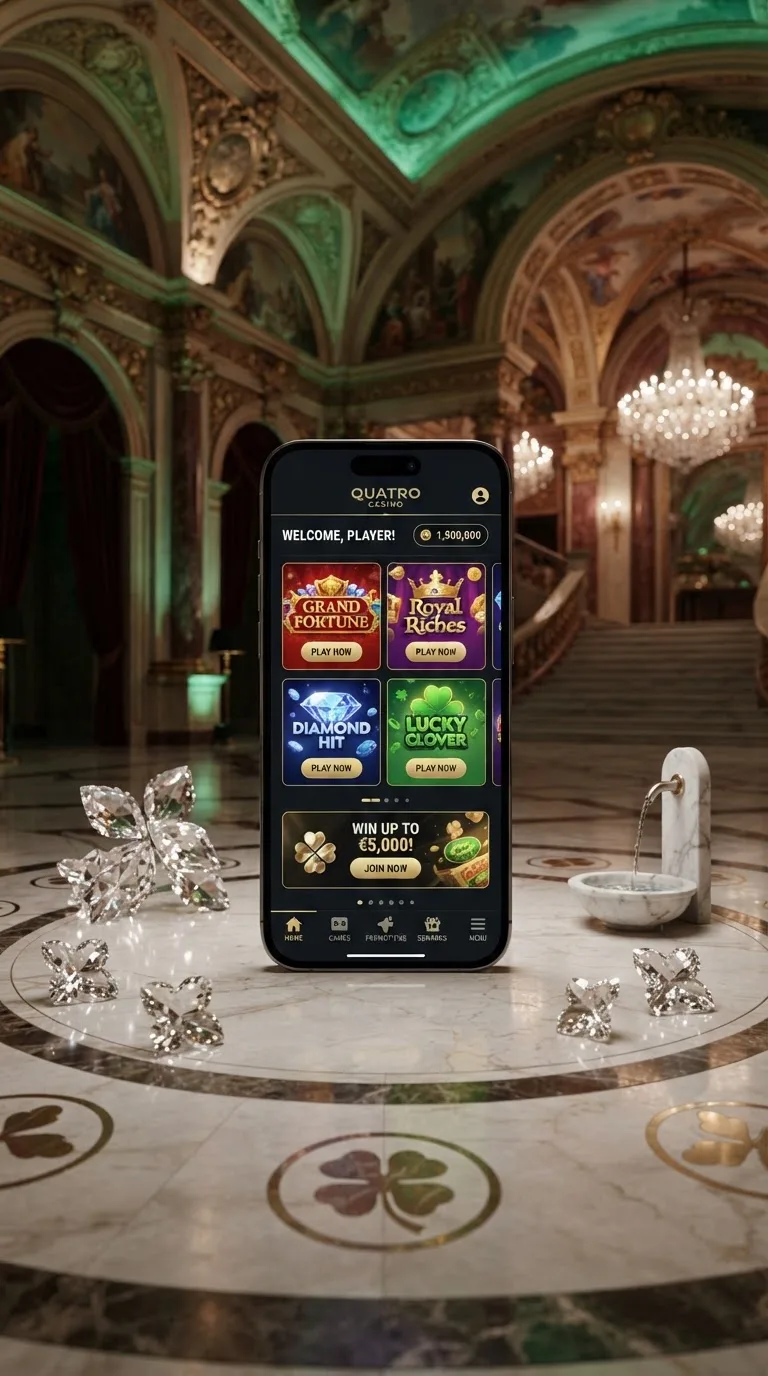
Many players assume that gaming on a phone means settling for a stripped-down version with restricted menus or fewer titles. We built our mobile web app so that nothing gets cut. You can manage your profile, chat with our live support team, make secure deposits, and launch any of our over 3,800 games directly from your home screen with zero compromises.
Because you do not need to download files from third-party app stores, setup takes seconds. You bypass regional store restrictions, skip manual patch updates, and jump straight into real-money gameplay. Discover our promotional lineup on our bonuses page while keeping your device clean, fast, and clutter-free.
Private Browsing Limitations and Mobile Account Protection
Mobile security requires a careful balance between convenience and privacy. While private browsing modes offer a layer of anonymity, they create specific technical hurdles when running an interactive web app that relies on local storage for speed and session continuity.
Instant Security Alerts and Session Safety
When you access our gaming site, our automated safety filters monitor incoming connection details to protect your real-money balance. If an unfamiliar device or IP address attempts to sign in, our systems trigger an account verification prompt. You receive a notification right away so you stay in control of your gaming profile.
Private browsing modes in mobile browsers discard session tokens and temporary cache files the moment you close a tab. This prevents history tracking, but it also logs you out unexpectedly and forces a full asset reload on your next visit. Running the Quatro Casino site in standard browser mode lets secure tokens keep you logged in safely while maintaining fast page loading.
We recommend enabling biometric authentication on your phone for extra protection. Using fingerprint recognition or facial ID ensures that only you can open your profile, even if your phone is unlocked. This is especially useful when you play on public or shared mobile networks.
If you ever notice unexpected activity or suspect unauthorized access, our live chat team is ready to lock the Quatro Casino your account and help with identity verification right away.
Managing Browser Storage on the Mobile App
Mobile browsers store non-sensitive visual elements in temporary local storage to speed up later visits. When you clear your cookies or use incognito tabs, your phone has to download every icon, banner, and button again. This extra traffic slows down navigation and uses more of your mobile data.
By saving your preferences in standard browsing mode, the Quatro Casino our platform remembers your display choices, favourite categories, and personalized settings. This means fewer setup steps and more time playing your favourite games.
We never store sensitive banking details or passwords in unencrypted browser storage. All financial transactions run through protected channels that verify data integrity at every step. You get the speed benefit of cached interface assets along with solid server-side security.
Keeping your mobile browser updated means you benefit from the newest security patches. A current version of Safari or Chrome stays fully compatible with our web app and closes off potential browser-level weak points.
How the Mobile App Loads Fast on Older and Newer Phones
Our progressive web app uses caching to store game interface elements locally on your device. Instead of pulling graphics across your mobile network every time you tap a title, the Quatro Casino app retrieves static assets directly from your phone's memory.
This lightweight setup allows the Quatro Casino this operator to run smoothly across major Canadian mobile networks, including Rogers, Bell, and Telus. Whether you are on 5G or standard LTE, the Quatro Casino platform adjusts to keep things moving without lag or mid-spin disconnections.
Installation takes less than twenty seconds because you are simply adding a shortcut that works like an app, without any app store download. Here is how to add the site to your phone:
- Open Safari on iOS or Chrome on Android and go to Quatro Casino.
- Tap the Share icon on iPhone or the three-dot menu on Android.
- Select Add to Home Screen from the menu.
- Confirm the name and tap Add to place the icon on your home screen.
- Tap the new icon to launch the Quatro Casino casino in full-screen mode.
Once installed, the web app opens in its own window without a browser address bar or navigation buttons in the way. You get an app-like feel without using up storage space.
| Device Model | Operating System | Browser Support | Home Screen Install | Live Dealer Support | Overall Experience |
|---|---|---|---|---|---|
| iPhone 11 and newer | iOS 15 and up | Safari, Chrome | Yes | Yes | Excellent |
| Samsung Galaxy S20 and newer | Android 11 and up | Chrome, Samsung Internet | Yes | Yes | Excellent |
| Google Pixel 5 and newer | Android 12 and up | Chrome | Yes | Yes | Excellent |
| iPhone XR | iOS 15 and up | Safari, Chrome | Yes | Yes | Very good |
| Samsung Galaxy A51 | Android 11 and up | Chrome | Yes | Yes | Good |
| LG Velvet 5G | Android 11 and up | Chrome | Yes | Yes | Good |
Even smartphones released several years ago handle the mobile interface without frame drops or lag. Our team compresses assets carefully so you get sharp visuals regardless of your phone's age.
One Bankroll Across All Your Personal Devices
Switching between your desktop computer and your mobile phone should never cause banking headaches. At Quatro Casino, your single player account connects across every screen you own, keeping your balance, transaction history, and active sessions unified in real time.
Unified Cashier and Fast CAD Transactions
When you make a deposit or request a payout on your phone, the change reflects instantly across all platforms. You can top up your bankroll from your mobile device and sit down at your desktop computer moments later with your funds ready to play. The minimum deposit at the Quatro Casino our casino is C$10.
Our mobile cashier is built for quick, one-handed use. Large input fields, automatic CAD formatting, and quick verification steps help you avoid input mistakes while you are on the move. Managing your money takes minimal effort, so you can get straight to gaming.
If you want to review your transaction history, the mobile cashier gives you clear summaries of deposits and withdrawals. You can track pending cashouts and review past payments without needing to open a computer.
Setting up your account only takes a minute or two. If you have not joined us yet, head to our sign-up page to unlock full access across all your devices.
Touch-Screen Ergonomics and Swipe Controls
Playing on a smartphone should feel natural and responsive. Game interfaces here are adapted for touchscreen control. Swipe down to trigger spins, tap the screen to stop reels, and slide your finger along the bet meter to adjust your wager.
Button layouts shift automatically depending on whether you hold your phone in portrait or landscape orientation. In portrait mode, bet controls sit near the bottom of the screen for easy thumb reach. In landscape mode, graphics expand to fill your display for a more immersive view.
Live dealer tables also benefit from our mobile layout. Chatting with live dealers, placing side bets, and switching camera angles takes just a tap on simple overlay buttons, keeping the interface out of the way of the live video feed.
Already registered with us? Head over to our member sign-in page to enter your details and pick up your gaming session right where you left off.
How the Mobile App is Built for Performance
Our mobile web platform avoids the heavy background processes typical of native store apps. Traditional casino downloads often run background sync services that drain your battery and use up monthly data.
Smart Memory Management
The mobile app manages memory to keep your phone running smoothly. When you close a game, unused sound files, textures, and video assets clear from active memory. This helps prevent browser crashes and keeps your other apps responsive.
Our platform also uses power-saving behaviour. When a game sits idle or you switch tabs, background animation slows down to help preserve battery life, so you can enjoy longer sessions without draining your phone too quickly.
Audio is tuned for mobile speakers and wireless headphones, streaming with good clarity while keeping file sizes manageable, which helps prevent stuttering as you move between cell towers.
Because the app runs inside your browser, it does not need extra system permissions. It never asks for access to your contacts, camera, or device storage, which keeps your personal privacy intact.
Efficient Mobile Data Use
Mobile data limits should not get in the way of your entertainment. This operator is built to keep bandwidth use reasonable during active play and to stop network transfers when the app is minimized.
The table below outlines what each feature typically uses on the mobile app:
| App Activity | Connection Type | Relative Data Use | Idle Behaviour | Works on 3G/LTE | Works on Wi-Fi |
|---|---|---|---|---|---|
| Lobby Navigation | Standard web | Low | No background use | Yes | Yes |
| Video Slot Spins | Standard web | Low to moderate | No background use | Yes | Yes |
| Live Dealer Stream | Adaptive video | Moderate to high | No background use | Yes, lower quality | Yes, full quality |
| Balance Syncing | Standard web | Minimal | Near zero | Yes | Yes |
| Account Verification | Encrypted web | Low | No background use | Yes | Yes |
| Live Chat Support | Standard web | Minimal | No background use | Yes | Yes |
Video slots stay reasonably light on data, so you can play comfortably on a modest mobile plan without worrying about overage charges. Live dealer games use more data due to video streaming, so Wi-Fi is a good choice for longer sessions.
Our collection features over 3,800 games, including releases from well-known studios, all optimized for mobile play. The gaming library spans a wide range of genres to suit every playing preference:
- Classic three-reel slots with simple payouts and familiar sound effects.
- Modern video slots featuring tumbling reels, expanding wilds, and interactive bonus rounds.
- Progressive jackpot games connected to large prize networks.
- Live dealer blackjack, roulette, and baccarat streamed in high definition.
- Video poker variants and quick-play scratch cards designed for short mobile sessions.
Getting Set Up on Mobile
Getting started takes only a few taps on your screen. You do not need to change security settings, allow unknown sources, or wait for a large file to unpack. The web app gives you immediate access to our full games catalogue.
Every feature, from quick deposits in Canadian dollars to fast customer support, is designed to give you a smooth mobile gaming experience. Add Quatro Casino to your home screen today and enjoy fast, reliable play wherever you go.
Frequently Asked Questions
Is the mobile app safe to install?
Yes, installing our progressive web app is safe. Because it runs through your standard mobile browser, it does not download executable files or change your device settings. Communication between your phone and our servers is protected with modern encryption.
How does the app icon appear on my mobile screen?
When you select Add to Home Screen in your browser, our logo appears alongside your regular phone apps. Tapping this icon opens the casino in a dedicated, full-screen view without a browser address bar.
How does the site recognize logins from new devices?
Our system checks browser details, IP origin, and device signals whenever you sign in. If an unfamiliar connection is detected, you will be asked to verify your identity before you can access your real-money balance.
Does the platform offer mobile-exclusive games?
Our library of over 3,800 games runs on HTML5 technology, so titles work the same way on mobile and desktop. Games are not limited to mobile only, but many feature touch controls designed specifically for smartphone play.
How can I fix connection errors while playing on mobile?
If you experience connection drops, try switching between Wi-Fi and mobile data to get a stable connection. Our system saves your game state during network interruptions, so your spin or hand completes automatically and your balance updates accurately.
Does the operator charge fees for mobile deposits?
We do not charge fees for mobile deposits or withdrawals. The minimum deposit is C$10, and the full amount you add is credited directly to your gaming bankroll.
How do app updates work?
Updates apply automatically on our servers whenever you load the web app. You never need to download a manual patch or visit an app store to make sure you are using the most current version.
Does the mobile app include a data saver option?
Yes, our mobile interface senses your connection speed and compresses image assets to reduce bandwidth use. You can also lower streaming quality in live dealer settings to save mobile data when you are off Wi-Fi.
Can I use the app with a VPN?
Access depends on your actual location at the time of play. We recommend connecting through your regular Canadian mobile carrier or home Wi-Fi for reliable verification and uninterrupted gameplay.
How does currency work on the mobile app?
Canadian players can set CAD as their account currency during registration. Deposits, wagers, and cashouts all process directly in Canadian dollars, so there are no foreign exchange fees on your transactions.